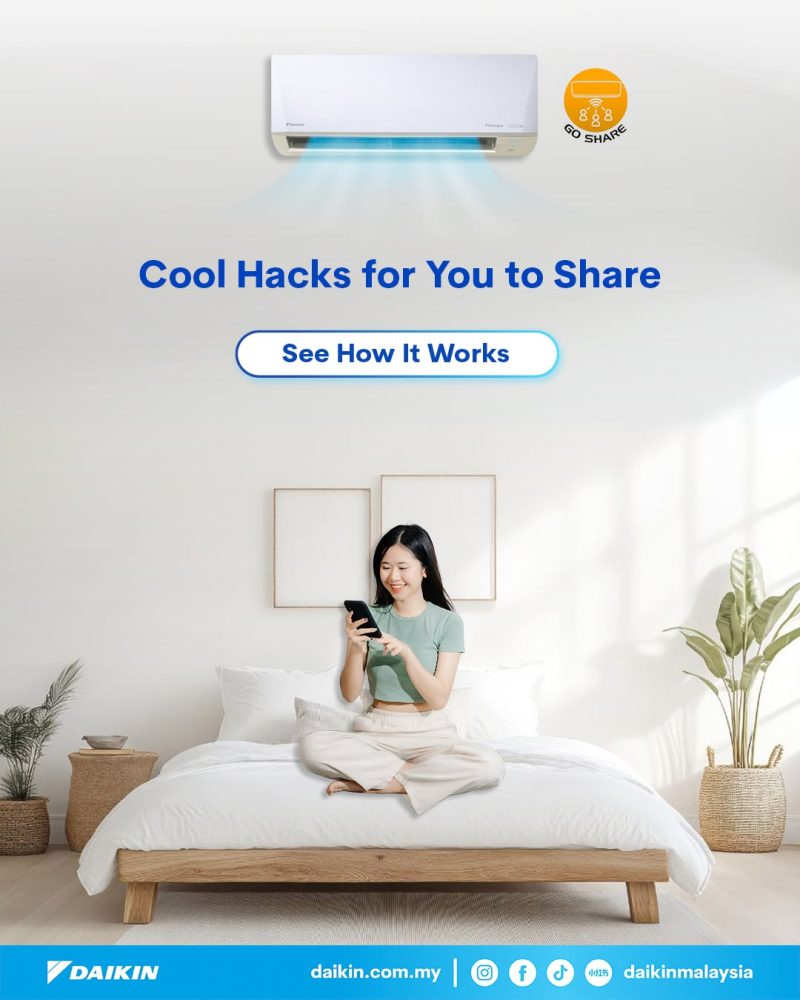
Managing your home’s comfort is easier when everyone can stay connected. With the GO Share feature on the GO DAIKIN App, you can securely share access to your air conditioner with family members, allowing multiple users to control the same unit from their own smartphones.
Whether someone wants to adjust the temperature before bedtime, switch on the air conditioner before arriving home, or simply manage comfort while you’re away, GO Share makes it convenient for everyone in the household.
The setup process is simple and only takes a few moments. Just access the unit settings in the GO DAIKIN App, enable GO Share permissions, and share the QR code. Once scanned, your family members can instantly gain access and enjoy seamless control of the connected air conditioner.
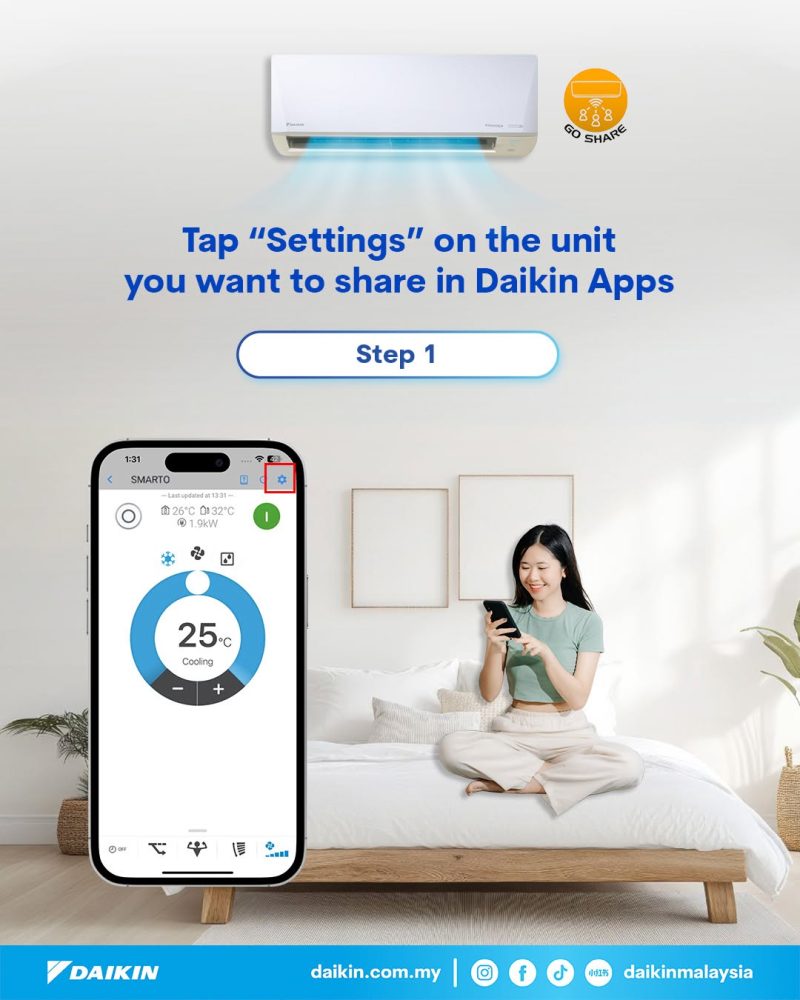
Open the GO DAIKIN App and select the air conditioner you would like to share. Tap the Settings icon to access the unit settings.
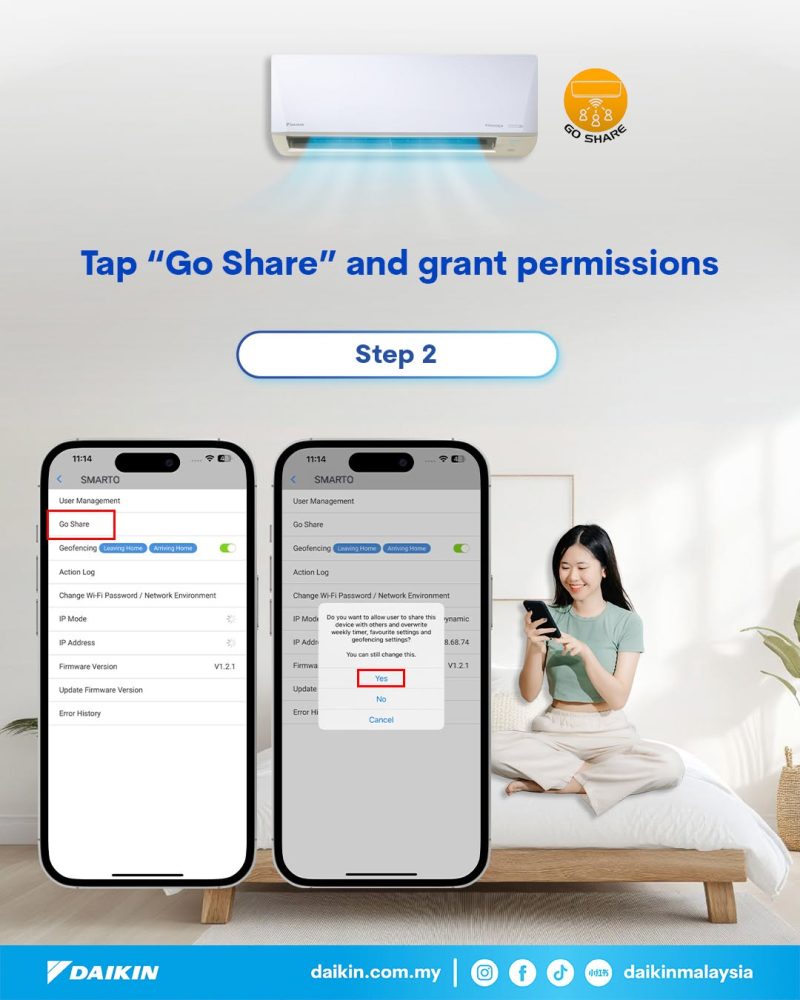
Select GO Share and grant sharing permission for the selected unit.
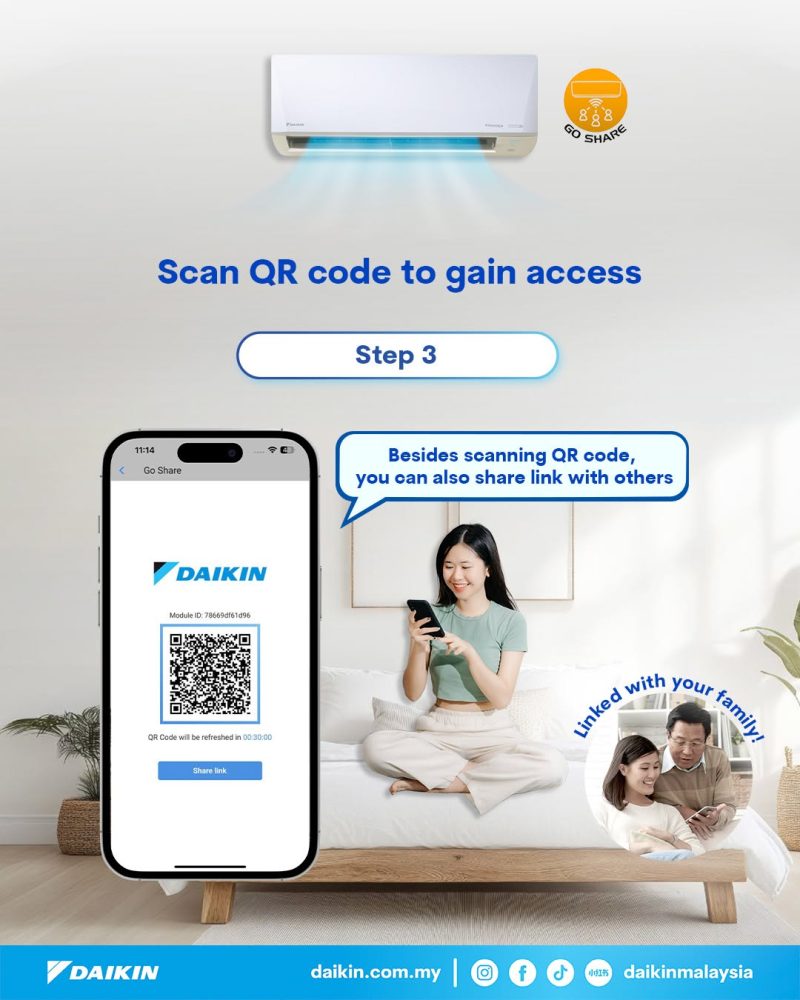
Generate and share the QR code with your family members. They can simply scan the code using the GO DAIKIN App to gain access and start controlling the air conditioner from their own devices.
With GO Share, comfort is no longer controlled by just one person. Everyone can enjoy a smarter and more connected cooling experience together.
Because comfort is better when shared. ❄️👨👩👧👦
Download the GO DAIKIN App today and discover a smarter way to stay comfortable.